InHand FWA02 5G Outdoor Router
 Hands-on review
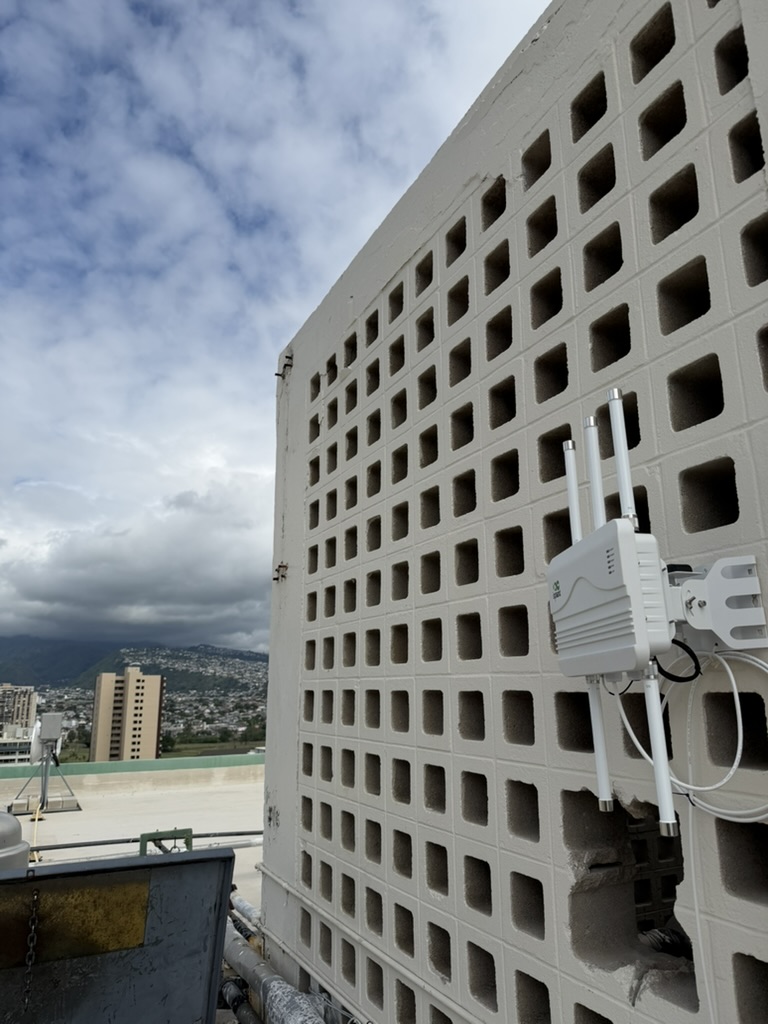
I used an FWA02 as the primary WAN for a live-streaming event with 100+ people in Waikiki. Mounted it on a hotel rooftop with a clear line of sight across the beach toward the nearest tower, ran PoE back down to a UniFi switch and a small broadcast rack indoors. It carried the stream.
Why outdoor was the right call
Concrete hotel buildings in Waikiki kill cell signal. Every time I’ve tried to do fixed wireless from inside one of those buildings, it’s been a losing battle — one or two bars indoors, marginal throughput, constant rebanding. For a live stream where you can’t afford a 10-second buffering event, indoor was never going to work. Putting the modem on the roof with clear line of sight to the towers across the waterfront was the difference between “barely limps along” and “genuinely carries 100+ people on a live event.”
Performance during the event
Held. The stream was running around 8-10 Mbps up sustained for the broadcast feed, plus guest WiFi on the downlink side for audience devices. The FWA02 on a T-Mobile business SIM was delivering enough headroom on both directions that we never hit a bottleneck. Did one mid-event reboot on the router side for unrelated reasons and the FWA02 just picked right back up when power came back.
Install
Mount went to the building’s rooftop mechanical access wall. Used the included bracket, couple of lag bolts. PoE cable down through an existing conduit to the switch room. Onboarded through the InHandGo cloud — scan QR with phone, assign to a site, done. Under 30 minutes from “unboxed” to “routing traffic” once the PoE was pulled.
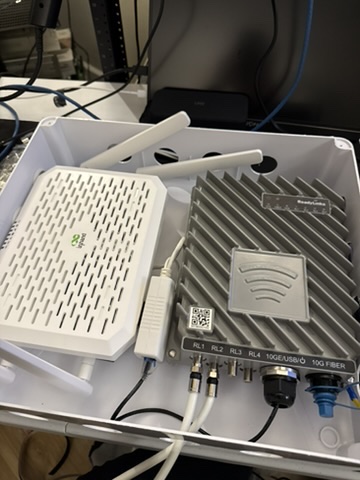
On a separate deployment I also ran one inside a small outdoor enclosure next to a Ubiquiti Dream Machine for a different site — same install story, just inside a box.
Why I like the interface
InHandGo’s cloud UI is the standout feature. Dashboard shows RSRP, RSRQ, SINR, connected band, IP, throughput — all in a layout you can actually read. Alerts for failover, signal drops, SIM swaps all configure in the web UI without hunting through nested menus. Set-and-forget is the whole point of a rooftop install, and this nails it.
Compared to Cradlepoint NetCloud, it’s lighter but faster. NetCloud has more enterprise features — policy, compliance, security. If you don’t need those, InHandGo is actually a nicer day-to-day experience.
Vs other outdoor CPE
- UniFi 5G Max Outdoor: better if you already run UniFi everywhere. The FWA02 is the better choice if you aren’t already a UniFi shop.
- Yeacomm NR610: cheaper, but the management story is basically nonexistent. You log in via local web UI and hope.
- Waveform ProLink: similar price, similar capability, Waveform has a stronger US support/brand presence.
The differentiator for the FWA02 is the cloud UI. If you need to remotely manage, check status, or run a fleet of these at multiple sites without driving to each one — this is where it wins.
Would I deploy it again
Yeah, especially for events where I don’t want to babysit the WAN during the actual show. Set it up, mount it, let the cloud tell you if anything goes sideways. Exactly what outdoor 5G should be.
- Proper outdoor build — IP66-rated, actually designed for rooftop life
- PoE-powered, one cable run back to the building
- InHandGo cloud UI is clean and legitimately easy to use
- Dual SIM with automatic failover between carriers
- Integrated MIMO array tuned for US 5G bands
- No WiFi built in — you're pairing this with a separate router indoors
- Best-case throughput below the UniFi 5G Max or premium Peplink outdoor
- Less US community coverage than the big three outdoor CPE players
- Install requires someone comfortable on a ladder with a PoE injector